SEO Audit Report
Find out how to automatically perform comprehensive SEO audits with a single click and share them with your clients under your own brand.
Updated on
Hi there! If you are reading this, you want to get the most out of our SEO Audit tool. When we built this report at TrueRanker, we had a clear goal in mind: we didn’t want to hand you just another vanity score out of 100 and leave you guessing. We wanted to build a technical, actionable, and ready-to-use roadmap.
I’m going to break down step-by-step how to read and squeeze every drop of value out of this report so you (or your clients) can see exactly what’s failing and how to fix it.
The Starting Point: General vs. Keyword Audit
Before we dive in, there’s something crucial you need to know. In TrueRanker, you can run an SEO Audit in two ways:
- General Audit: You just enter the URL. The system will evaluate overall technical health, speed, basic tags, etc.
- Keyword Audit: You enter the URL + your target Keyword. This is where the magic happens. If you add a keyword, the engine becomes much stricter. The overall score will take into account keyword density, exact match presence in the H1, Title, meta descriptions, and image Alt attributes.

📊 1. The Overview (Global Score)
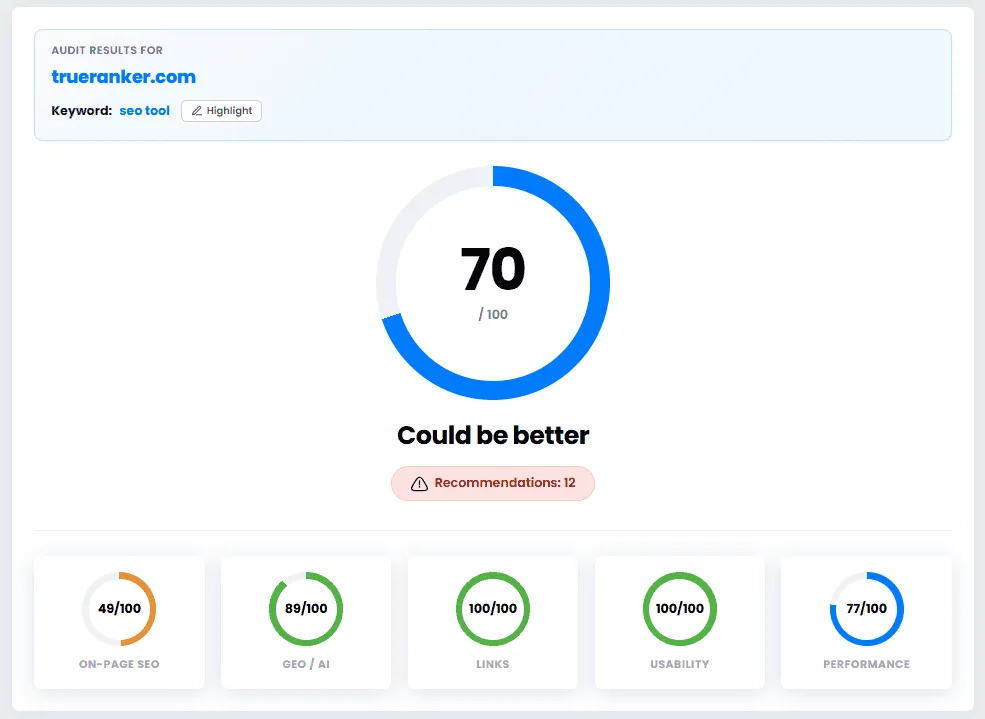
The first thing you see is your global score. It’s a visual speedometer that quickly tells you if you are in the red zone (danger), yellow (work to do), or green (on the right track). Right below, you have five mini pie charts breaking down the score by pillars: On-Page, Links, Usability, Performance, and GEO.
🚨 2. Pending Recommendations (Your Action Plan)
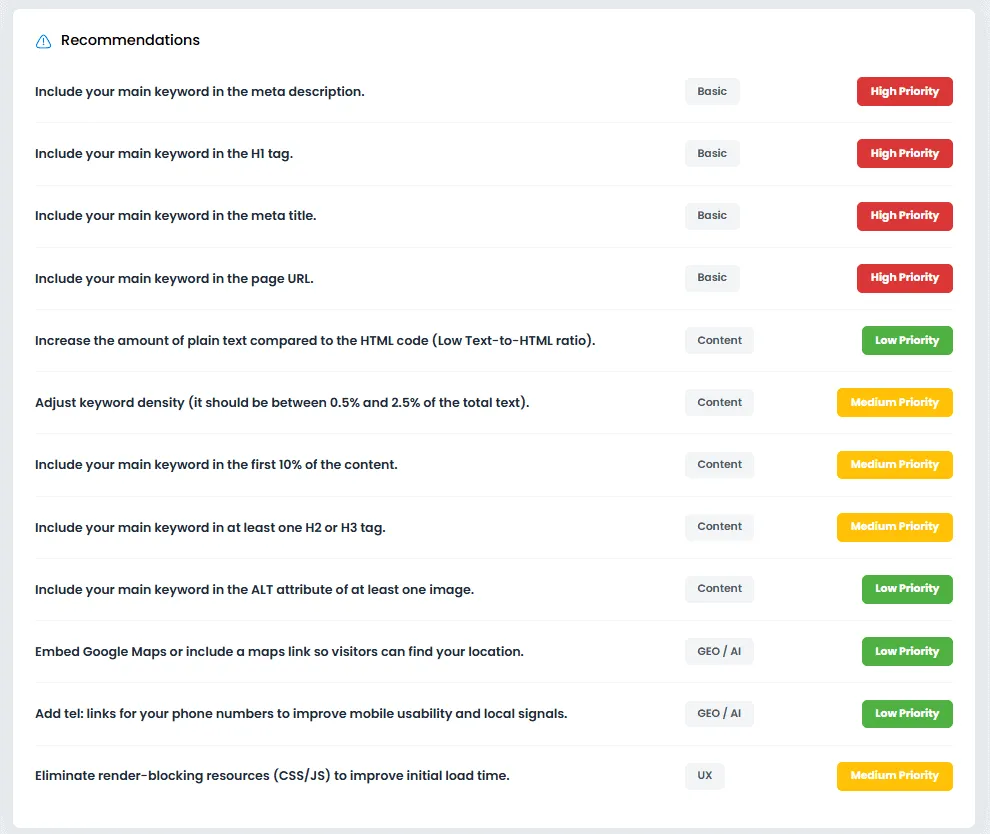
Forget about digging through data to find what’s wrong. Right under the global score is the “Recommendations” panel. We automatically filter all issues and sort them by priority.
You’ll see red tags for Errors (critical things you must fix today, like broken links or a missing H1) and yellow tags for Warnings (things that improve your SEO but aren’t life-or-death). Think of this as your daily To-Do list.
📝 3. On-Page SEO
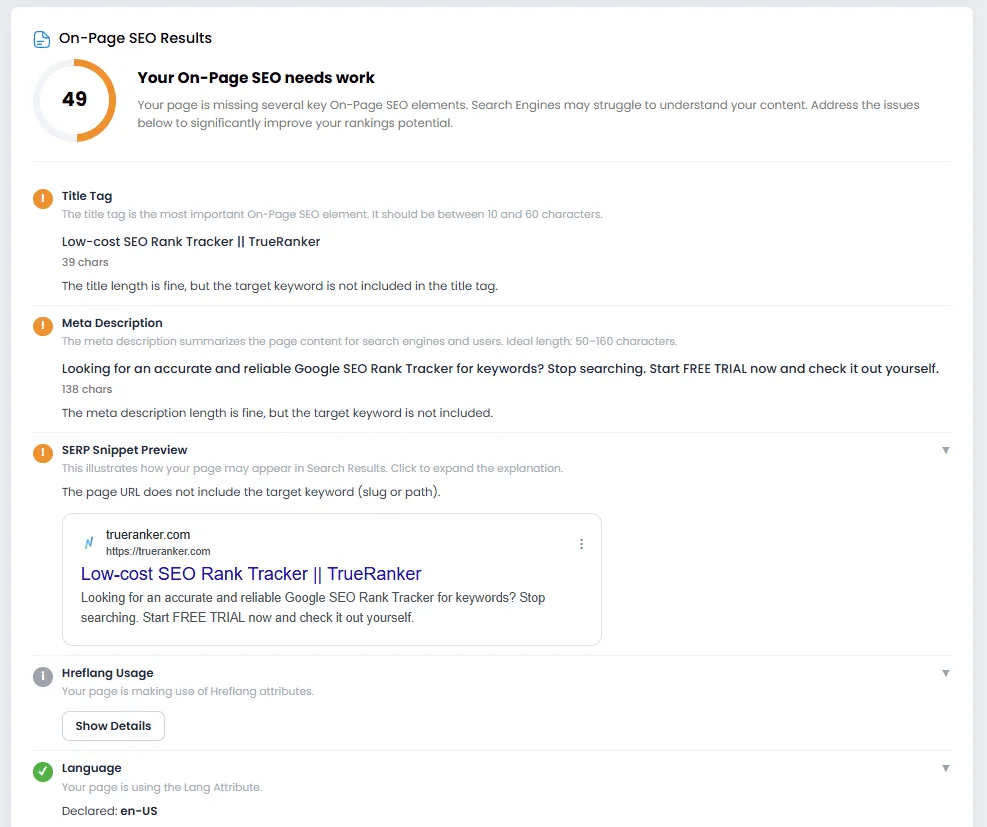
Here we analyze the skeleton of your content. If you ran the audit with a Keyword, this section will tell you exactly if you are using it right or if you are over-optimizing.
- Texts and Tags: We check title lengths, meta descriptions, ensure you have a single H1, and that your heading structure (H2, H3) makes semantic sense.
- Images: We verify that you haven’t left any
altattributes empty (a classic mistake). - Consistency: We check the Text-to-HTML ratio and overall readability to ensure Google understands your page’s topic.
📈 4. Rank tracker
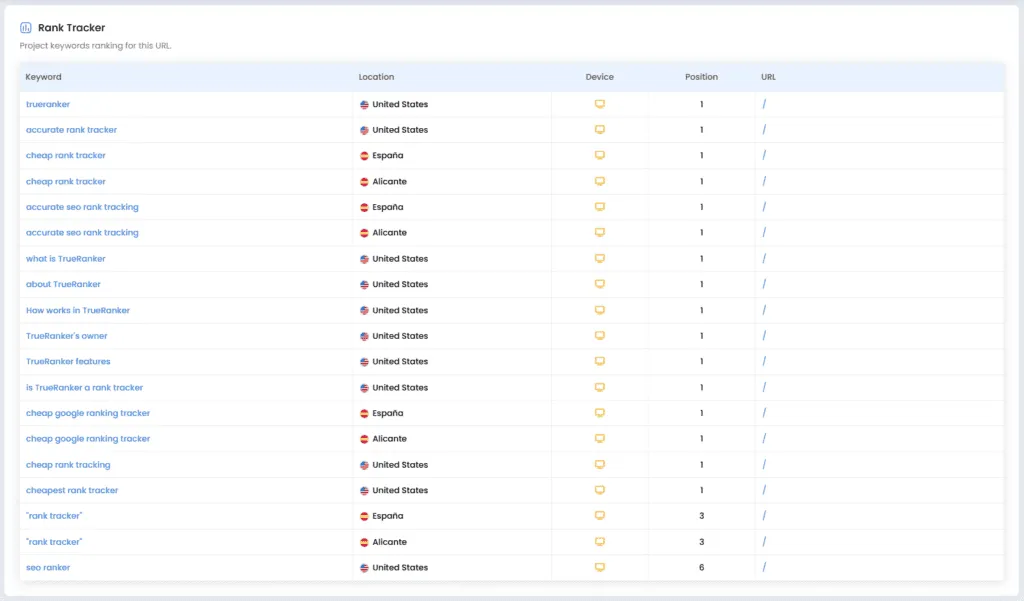
The report includes a Rank Tracker block that connects the audit with your project’s position tracking. If the audited URL or keyword is related to your TrueRanker project, you will see the actual Google positions directly inside the report.
The block automatically adapts to the audit context:
- Audit from a tracked keyword: shows the keyword, location with country flag, device, your current position and ranking URL, along with the Top 10 of the last SERP captured by TrueRanker.
- Audit with a keyword you already track: lists every tracked keyword in the project matching that term, including location, device, position and URL.
- Audit of a URL from your project: lists every tracked keyword ranking for that exact URL.
- Audit of a competitor URL: cross-checks the competitor’s keywords against your tracked ones and displays a comparison table with the competitor’s position and your position for each shared keyword.
When the audit has no matches in your rank tracker (new keyword, URL without tracked keywords, competitor without a configured country, or external URL), a contextual message is displayed with a CTA to add keywords or set up the competitor in just a few clicks.
Information displayed in the table:
- Keyword audited or tracked.
- Location, with country flag and province/location name.
- Device (desktop or mobile).
- Position in Google based on the latest crawl.
- URL currently ranking.
This way, within the same SEO report, you can validate the real impact of the audited URL or keyword on your rankings and spot opportunities against your competitors.
🔗 5. Links (Link Architecture)
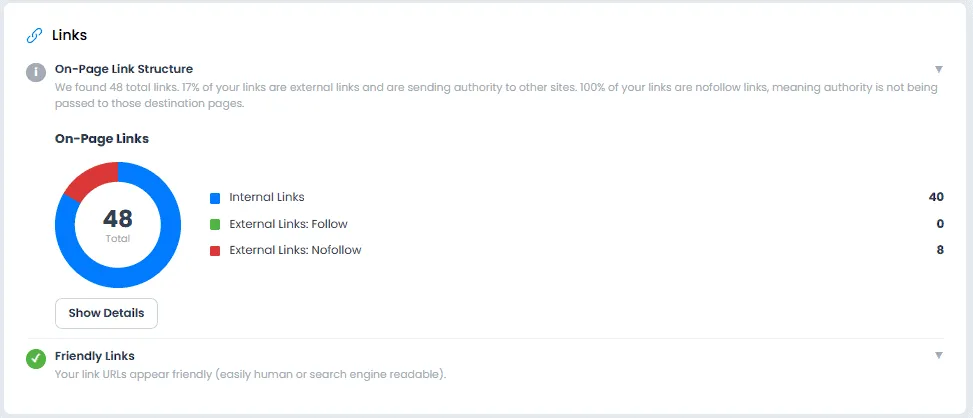
Great On-Page SEO is nothing without a solid linking foundation. Here you will see your internal and external link counts at a glance. Plus, the crawler will alert you if you have any broken links (404s) wasting Googlebot’s crawl budget and hurting the user experience.
⚙️ 6. Usability & Technical
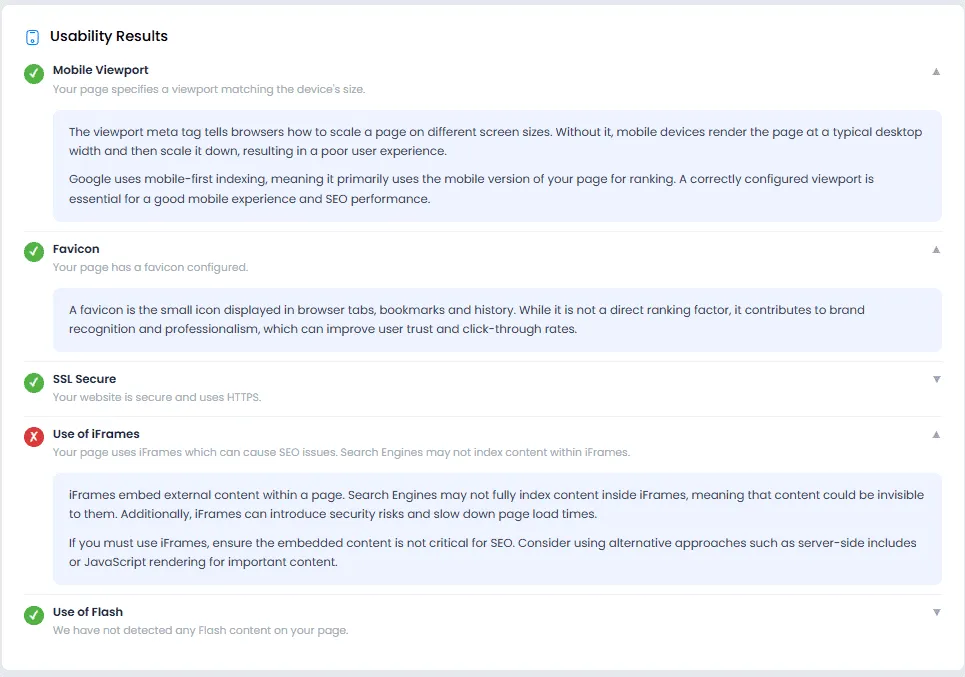
Let’s get a bit more technical. We check basic indexability factors that are sometimes overlooked:
- Correct use of HTTPS (SSL) certificates.
- Canonical tags (to prevent duplicate content issues).
- Proper HTTP status codes (a 200 OK instead of endless redirect loops).
- Ensuring your site is mobile-friendly (Viewport meta tag).
🚀 7. Performance
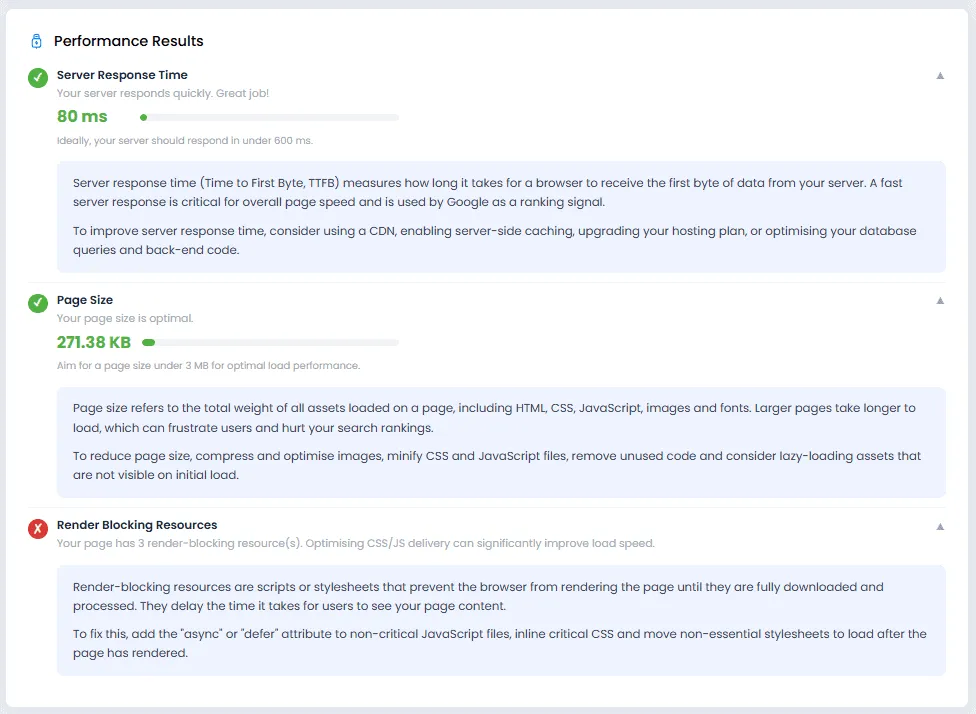
Nobody likes a slow website. In this section, we measure the total page size and the server response time (TTFB). If these numbers are in the red, it’s time to optimize images, review your caching policy, or have a chat with your hosting provider.
🤖 8. GEO & LLMs (The Future is Here)
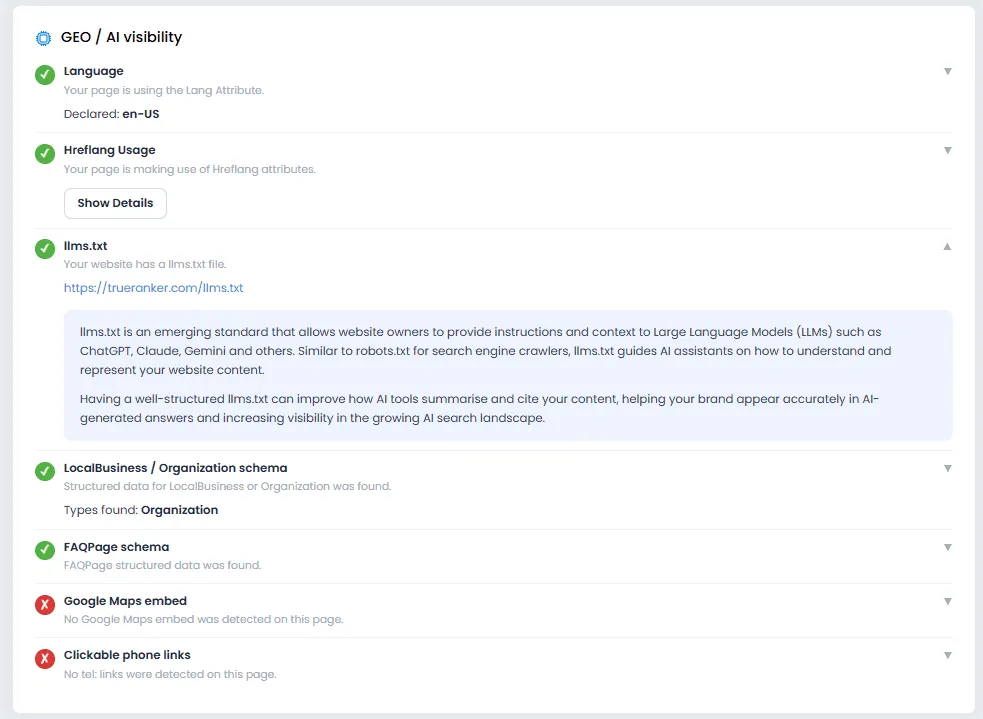
This is our favorite section and one of the things that sets us apart. SEO is evolving towards Generative Engine Optimization (GEO). Here we check if your website is ready to be read and cited by ChatGPT, Perplexity, or Gemini:
- We look for the
llms.txtfile. - We analyze vital structured data markup like
LocalBusinessorFAQPage. - We review language attributes (
hreflang) to ensure your international and local visibility.
💼 White-Label Mode: Share it with your clients
If you run an SEO agency or work as a freelance consultant, you are going to love this. You don’t need to download raw data, build an Excel sheet, and design a PDF.
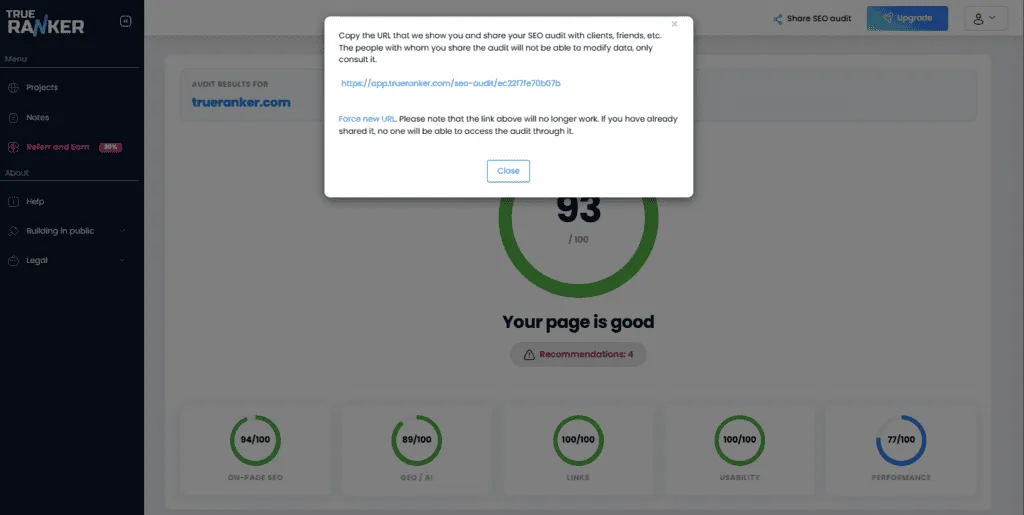
At the top of the report, you have sharing options. If you activate the White-label feature, you can send a fully functional, public link to your client. They will see this exact interactive report, but without the TrueRanker logo or branding, making it look like an internal tool developed by your own agency. You’ll look like a total pro.
Ready to start optimizing? Head over to the SEO Analyzer section and run your first audit.