
To access your account settings in TrueRanker, click on your profile icon (your email address) in the top right corner of the header and select “My Profile” from the drop-down menu.
Our profile section is divided into 5 clear tabs to help you manage your workspace efficiently:
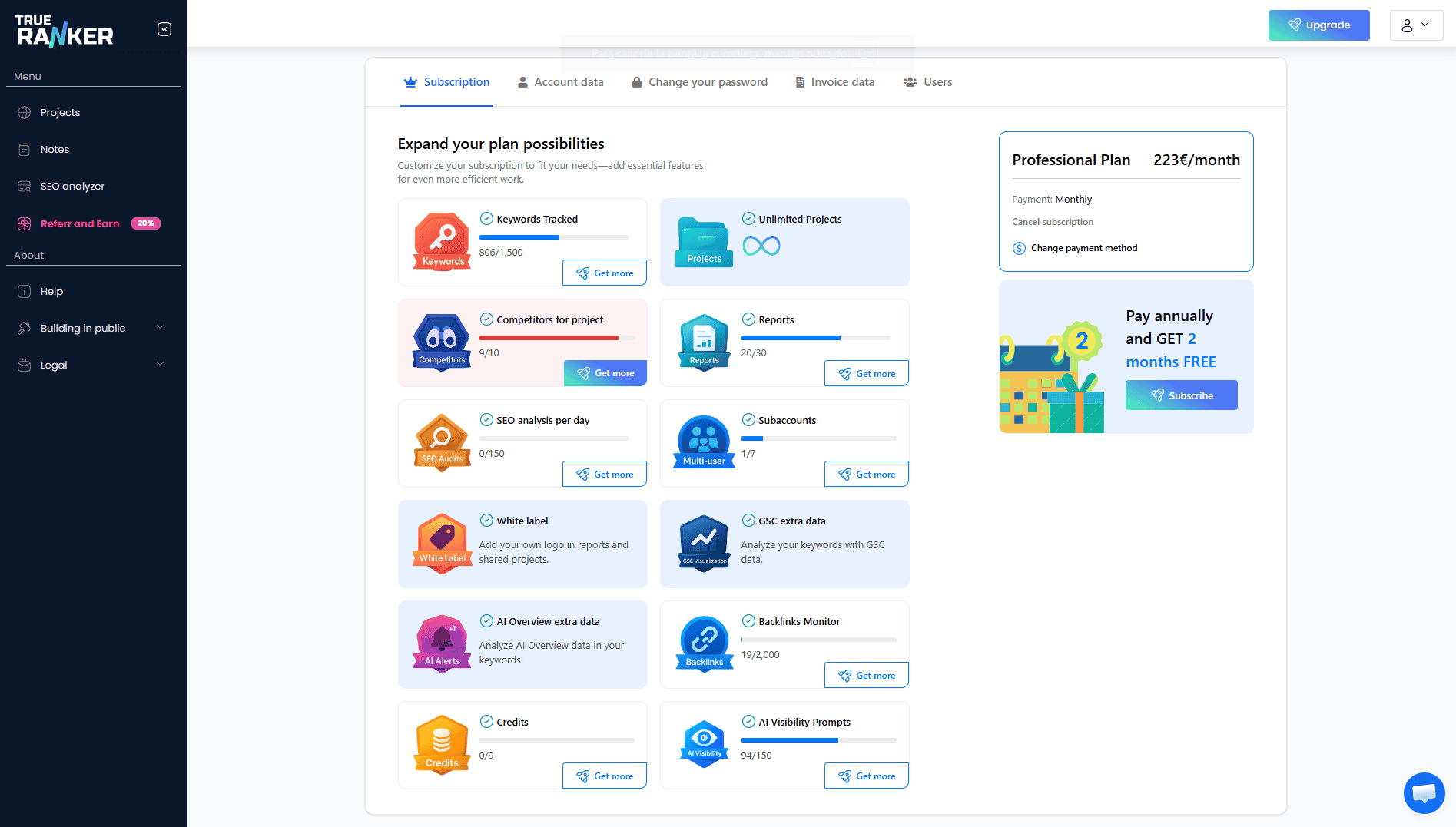
1. Subscription. This is your command center for your current plan. Here you can:
- Check your usage: Visually track your limits for keywords, projects, reports, and SEO audits in real-time.
- Upgrade limits: Click “Obtener más” (Get more) on any specific feature to purchase add-ons without changing your core plan.
- Manage billing: Switch to annual billing to get 2 months free, or cancel your subscription if needed.
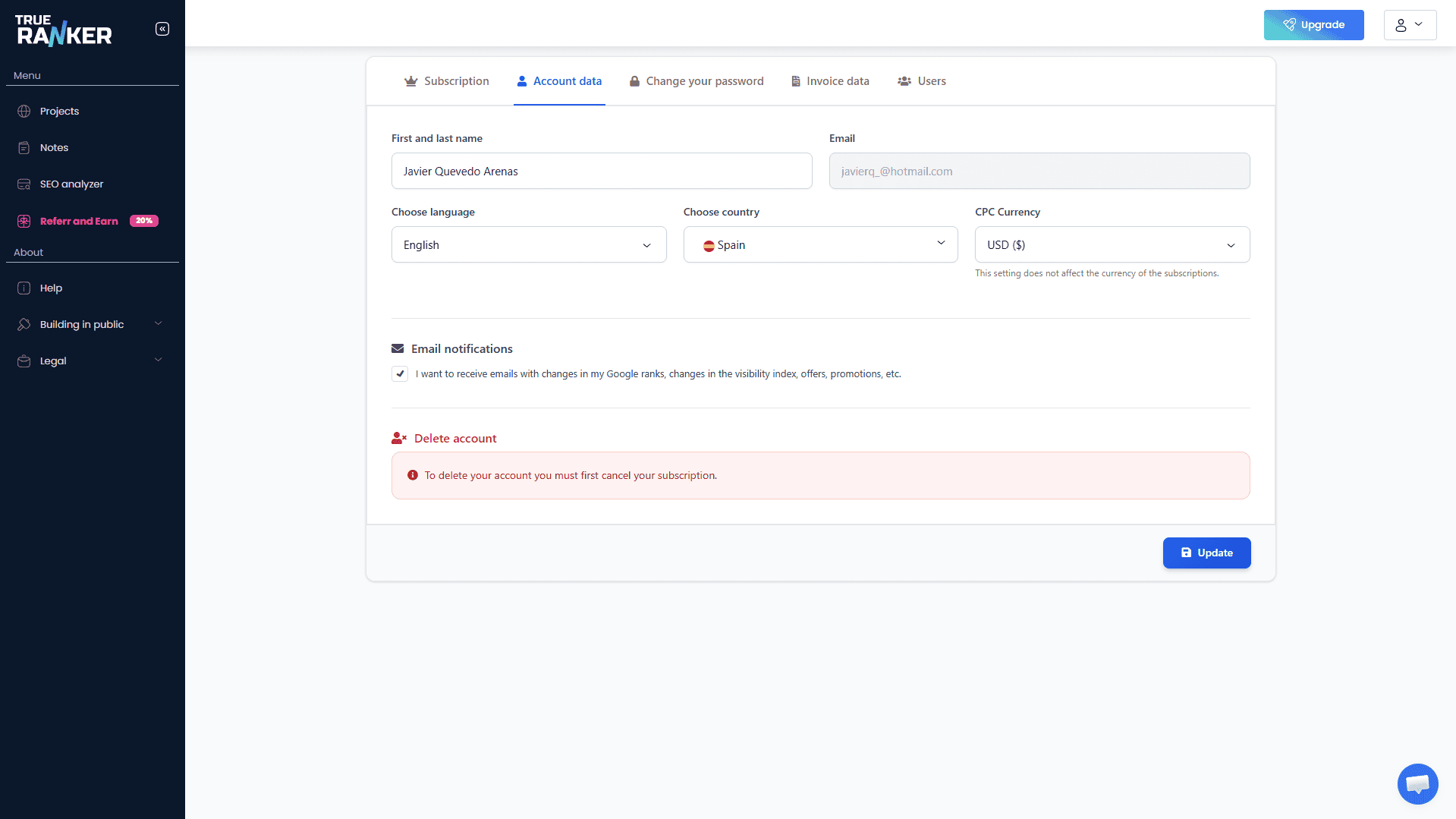
2. Account Data. This tab contains your personal and localization settings:
- Personal Info: Update your first and last name. (Note: The account email cannot be changed from this panel).
- Localization: Choose your preferred interface language and your Country.
- CPC Currency: Select the currency you want to display for the Cost Per Click (CPC) metrics in your keyword tables. Note: This only changes the display data in your projects, it does not affect your subscription billing currency.
- Email Notifications: Toggle whether you want to receive system emails, position changes, and visibility index updates.
- Danger Zone: At the bottom, you will find the option to permanently delete your account.
3. Change Password. A simple, secure panel to update your access credentials. You will need to enter your current password to set a new one.
4. Invoice Data. For our B2B and agency users, this tab is crucial. If you have an active subscription, you must fill out these fields (Name, Address, VAT/CIF, Company status) to ensure your monthly or annual invoices are generated correctly with your tax details.
Note: If your invoice data is incomplete, you will see a red warning banner at the top of your profile until the required fields are filled.
5. Users (Multi-user). (Only available for supported plans). Manage your team’s access here. You can invite new users, edit their permissions, and assign them specific projects so they only see what is relevant to them.