Project SEO Audits
Find out how you can conduct SEO audits of your project and your competitors to compare each of your SEO metrics.
Updated on
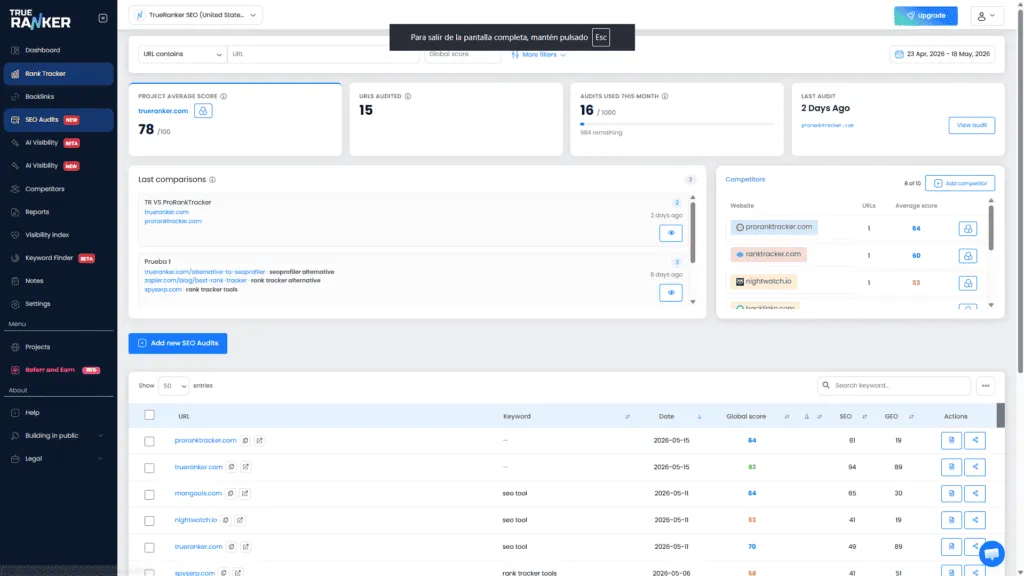
Project SEO Audits bring all audits you run into one project workspace (a domain or site already in TrueRanker). Instead of a standalone analyzer flow from the global menu, you work with URLs, scores, and comparisons in context: same project, shared date range, shared filters.
How it differs from the classic SEO Analyzer
Plans that include this capability use the project-scoped SEO Audits entry instead of the legacy global SEO Analyzer link. Usage is tied to monthly audit quota, project ownership checks, and the in-app sidebar for that project.
Getting started — bulk URL import
“Add SEO Audits” (toolbar or empty state) opens a modal where you paste one URL per line. URLs without a scheme are normalized to https:// before validation; only http/https URLs with a plausible host pass. Duplicate handling is aligned between UI and backend. Optionally set a batch keyword, and optionally create a comparison after creation if enabled in your workflow.
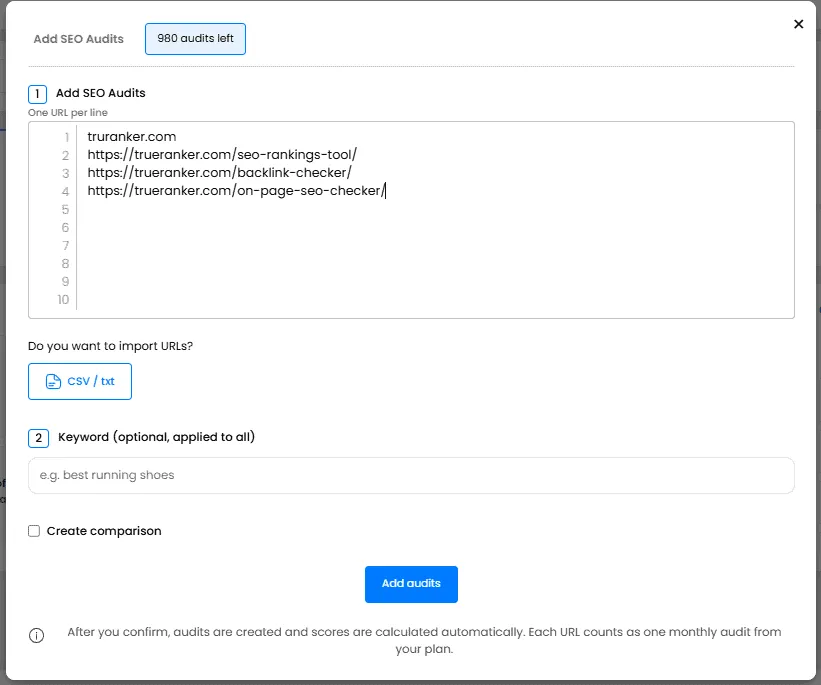
Each URL counted as an executed audit consumes monthly quota.
Filters and date range
Top bar follows familiar patterns:
- URL filter modes (contains / not contains / exact / different).
- Score filters (global, SEO, GEO) via min/max dialogs.
- Domain chips from Top domains to restrict visible rows by hostname(s).
KPI header block
- Project-level average score (canonical host matching strips
wwwfor parity with audited URLs where applicable) plus delta vs previous audit when comparable. - URLs audited (after filters).
- Monthly quota used vs plan limit [with progress bar].
- Last audit (relative time) + shortcut to audit detail.
Competitors and latest comparisons
You can see at a glance which of your competitors has the highest overall average score. Additionally, if you click on any competitor, you’ll see their filtered audits.
On the other hand, if you’ve created SEO Audit comparisons, you can view them again since the history of these comparisons is saved.

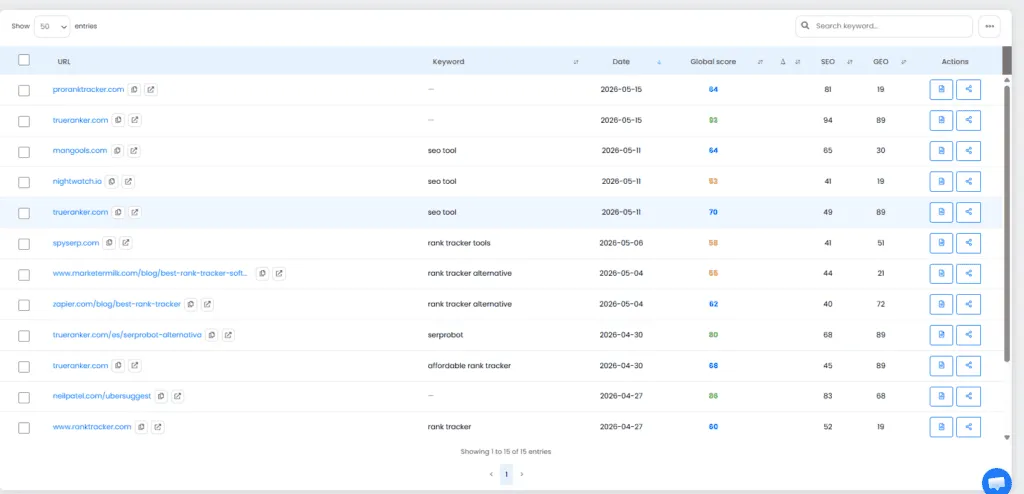
Main audits DataTable
Sortable rows, bulk selection, drill-down flows while scores finish computing when payloads are queued.
Why track this here
- Single project cockpit vs scattered audits.
- Time-bounded trending via one date picker.
- Transparent quota: see remaining monthly capacity before approving another batch.
Ready to dive in? Open Projects → select SEO Audits → adjust range if needed → Add SEO Audits → paste URLs → confirm. Tune with filters as your dataset grows.