Competitor Comparison & History
Spy on your rivals. Learn how to use the Competitor Comparison dashboard, analyze growth charts, and unlock 24 months of historical backlink data.
Updated on
Let’s be honest: SEO is a zero-sum game. For you to win, someone else usually has to lose. That’s why keeping an eye on your competitors isn’t just “nice to have”—it’s essential.
In TrueRanker, we have a dedicated Competitor Comparison dashboard. You can access it by clicking directly on the title of the “Competitors” block in your main Backlinks dashboard.
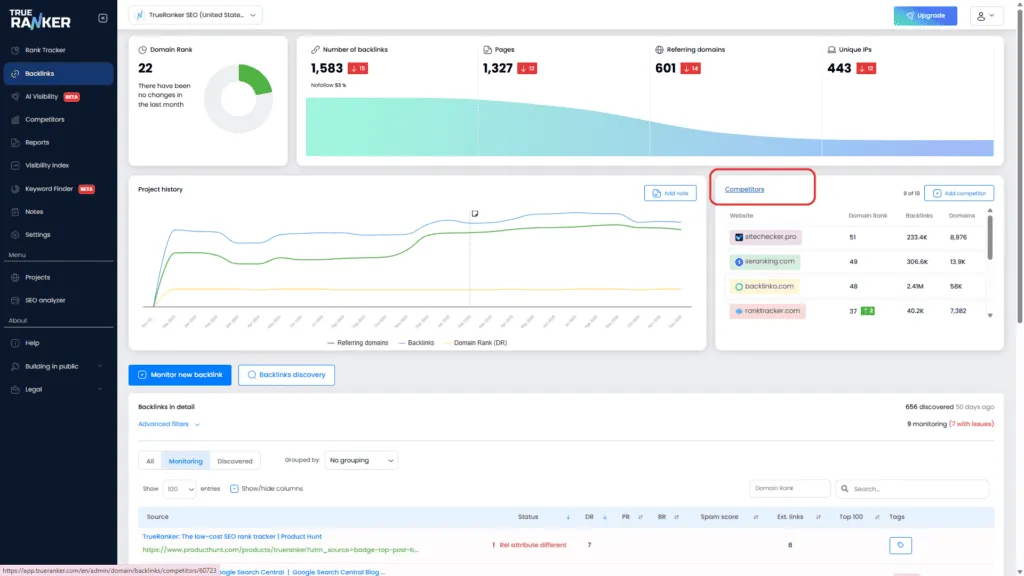
Here is what you will find inside:
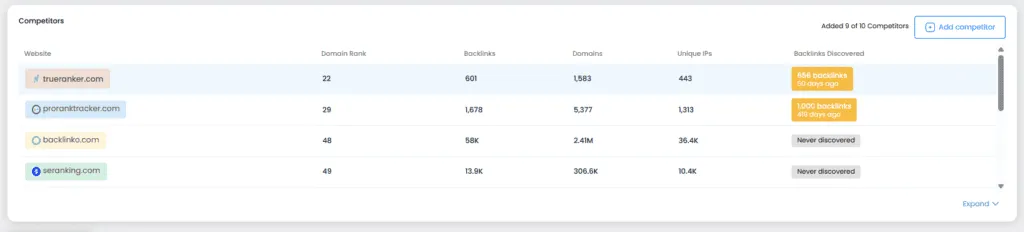
1. The Global Comparison Table
At the top, we give you the bird’s-eye view. This table puts your domain side-by-side with all your rivals. You can compare total backlinks, referring domains, and DR instantly.
We also show you the “Last Updated” date, so you know if you are looking at fresh data.
2. Comparison Graphs & The “Time Machine”
This is where it gets interesting. We provide three comparative graphs:
- Referencing Domains
- Backlinks
- Domain Rank (DR)
How the data works (Important! 🧠): By default, when you add a competitor, we start tracking them from that day forward. We update this data monthly, and these future updates are completely free.
But what if you want to see the past? If you want to know what their growth looked like over the last two years, you can use our “History” feature.
- Look for the “Get history” button next to a competitor.
- The Cost: It costs 1 Credit per competitor.
- The Value: We instantly pull the last 24 months of data for that domain.
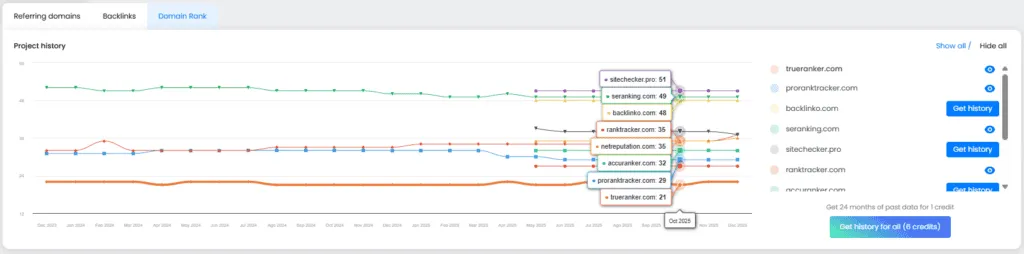
You can do this one by one, or hit “Get history of all” to unlock the past for everyone at once (deducting the corresponding credits, of course).
3. The Details Table
Finally, scroll down to see the nitty-gritty details. This table lists the specific domains linking to your competitors.
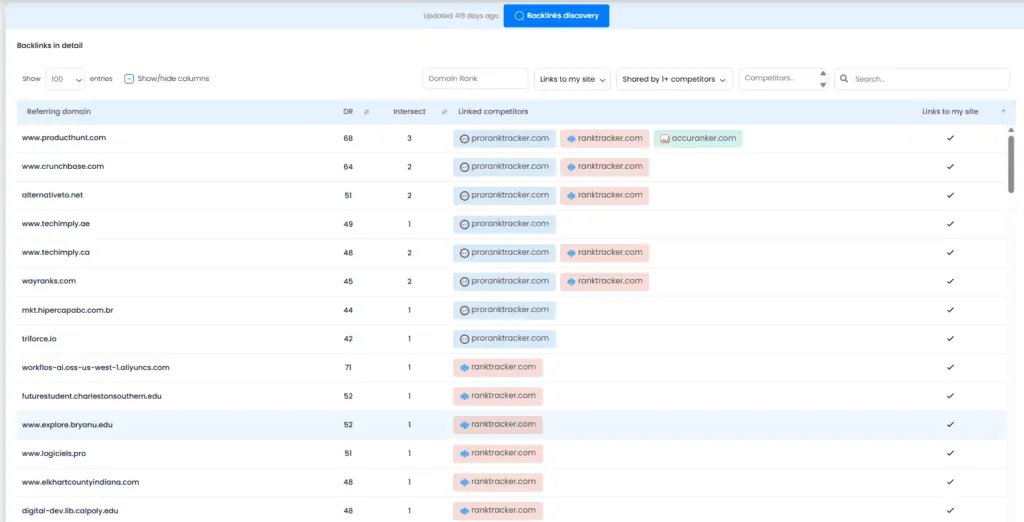
- Filters: Use the filters to find specific types of links.
- Drill Down: Want to see exactly which page on “cnn.com” links to your competitor? Just click on the row. We will expand it to show you the specific source URL, target URL, and anchor text.
This is great for general analysis, but if you want to find actionable opportunities (i.e., “Who links to them but NOT to me?”), you need our Intersection Tool. Let’s talk about that in the final article.