
Okay, so your table is populated. Now, how do you manage all this data without going crazy?
TrueRanker isn’t just a list; it’s an active monitoring tool. Let’s look at how to organize your links and decide which ones deserve your attention.
1. Active Tracking (The “On/Off” Switch) #
You might have thousands of backlinks, but let’s be honest: not all of them are worth watching every single day. You probably care deeply about that high-DR guest post you paid for, but not so much about a random directory link.
That’s where the Tracking toggle comes in.
In your main table, you’ll see a column with a switch/toggle for every row.
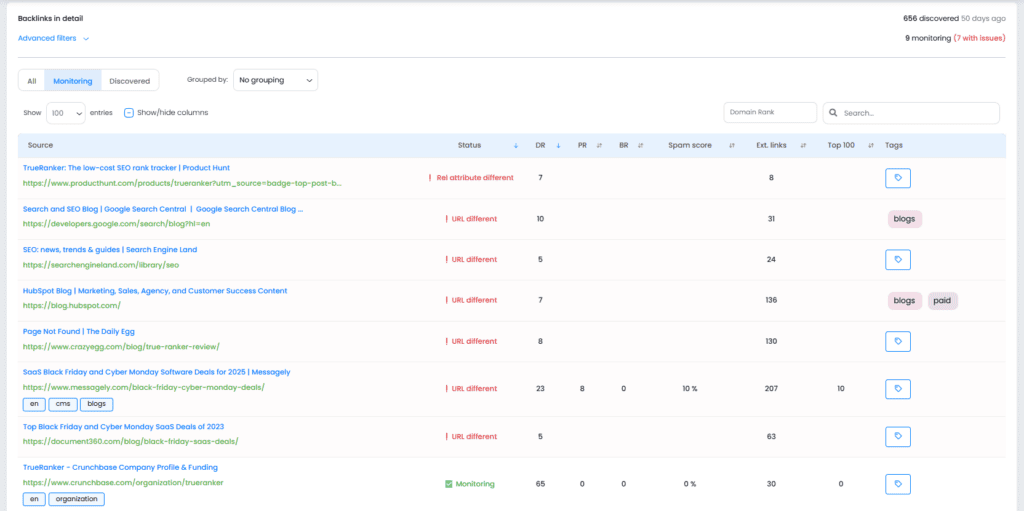
- Tracking ON: We check this link daily. We verify it’s still alive, check its status (Active/Lost), and monitor changes. If something happens, we alert you.
- Tracking OFF: The link stays in your historical list, but we stop checking it every day.
💡 Pro Tip: Use “Tracking ON” for your most valuable links. This ensures you are the first to know if a partner removes a link or if a page breaks, allowing you to react immediately to save your SEO.
2. Organizing with Tags #
If you are managing a serious link-building campaign, a flat list isn’t enough. You need context.
You can assign Tags to any backlink in your list. Just click on the tag icon next to the link.
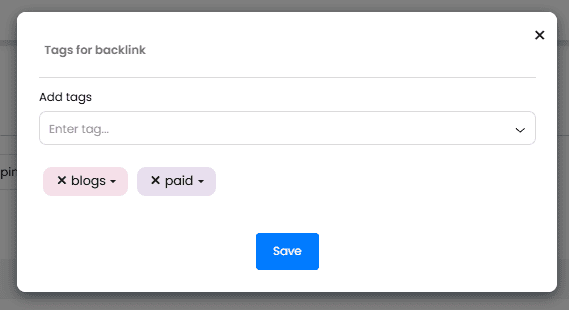
Use tags to group your links by strategy, for example:
- “Guest Posts”
- “Sponsorships”
- “Competitor Replication”
- “Organic”
This makes reporting way easier later on. “How are my Guest Posts performing?” -> Filter by tag, and you’re done.
3. Mastering the Filters #
When you have hundreds of rows, finding a specific link can be like finding a needle in a haystack. We’ve given you two ways to filter:
A. Quick Filters (Visible) Right above the table, you have the common filters ready to go. You can quickly sort by Status (Active/Lost), Type (DoFollow/NoFollow), etc.
B. Advanced Filters Need to get granular? Click the “Advanced Filters” dropdown.
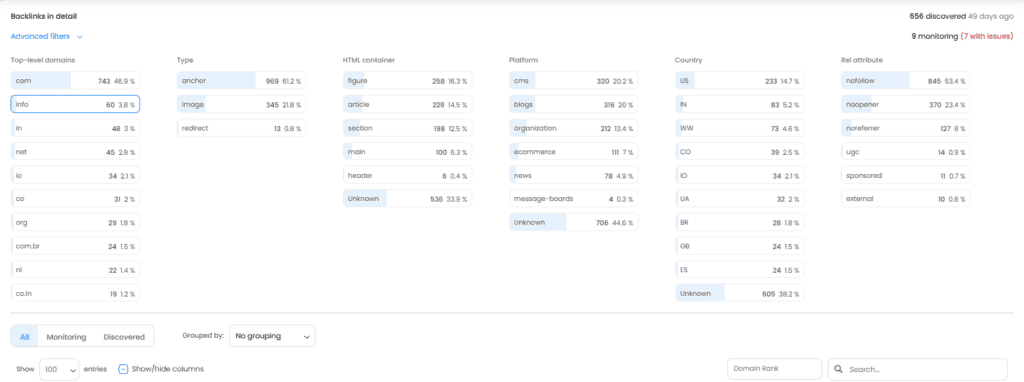
Here you can combine conditions. For example: “Show me all Active links, from the ‘Guest Post’ tag, with a DR higher than 50.”
This is super powerful for auditing your profile and cleaning up spam or identifying your strongest assets.
Now that you have your own house in order, it’s time to look outside. In the next article, we’ll see how to compare yourself against the competition.