
Let’s be honest: seeing your own pages fighting for the same spot in Google is frustrating. It confuses search engines, splits your authority, and usually means the wrong page is ranking (bye-bye conversions 👋).
But here is the thing: Not all cannibalization is bad. Sometimes, having two results on the first page is actually great (we call that dominance).
That’s why I designed this tool differently. I didn’t just want to “show” you the problem; I wanted to give you a way to manage your intent.
Here is how it works.
1. Spotting the Conflict (The Bugs) #
The moment you add your keywords to a project, the system starts working. We scan the SERPs daily. If we see that two or more URLs from your domain are ranking for the same keyword, we flag it immediately.
You’ll see a little Bug Icon (🐞) right next to the keyword in your list.

2. The Game Changer: Setting a “Target URL” #
This is where TrueRanker shines. To know if a cannibalization is “Bad” or “Good,” the system needs to know which URL you actually WANT to rank.
We call this the Target URL.
How to set it up: #
- Click on any keyword that has a bug (or any keyword you want to track closely).
- In the detail view, look at the table “Google’s top 10 for your keyword”.
- Find your preferred URL and click the Target Button (the little crosshair icon 🎯) next to it.
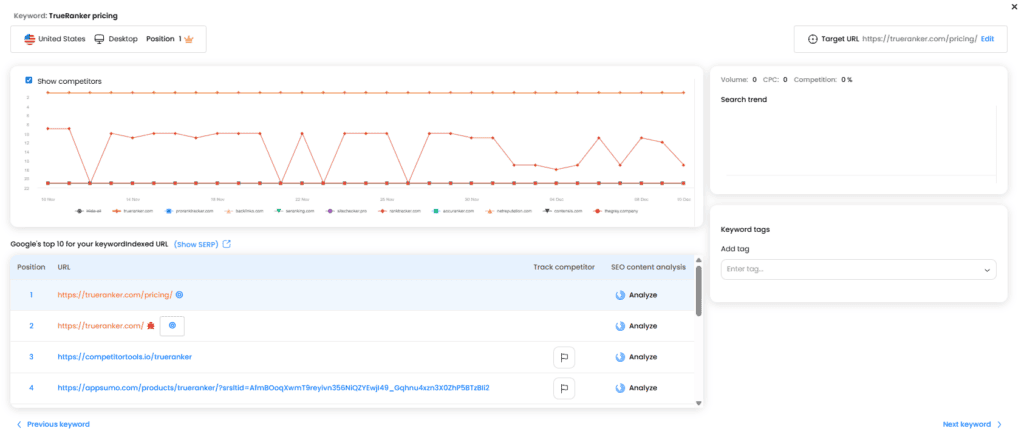
If your URL isn’t ranking yet, don’t worry. You can click “Edit” in the top right corner and paste the URL manually.

3. Decoding the Colors (Red vs. Blue) #
Once you’ve told us your Target URL, we change the icons to tell you the real story at a glance. No more guessing.
- 🔴 The Red Bug (Critical): This is the one you need to worry about. It means you have cannibalization and your Target URL is NOT the winner. Basically, Google is ranking the wrong page.
- 🔵 The Blue Bug (Safe): This means multiple pages are ranking, BUT your Target URL is #1. You are safe. You are dominating the results.
- 🎯 The Blue Target (Perfect): Mission accomplished. Your Target URL is ranking, and there are no other conflicts.
4. Working Faster: Bulk Actions #
I know some of you manage huge sites. Going one by one is a pain.
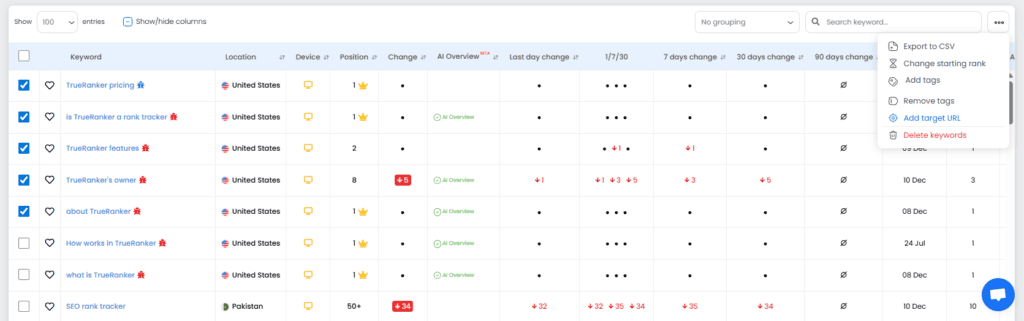
You can select as many keywords as you want from the main list, click the Actions menu, and select “Add target URL”. This is perfect when you have a cluster of keywords that all should go to the same landing page.
5. Focus on What Matters (Filters) #
If you have 1,000 keywords, you don’t want to scroll through everything. You want to see problems.
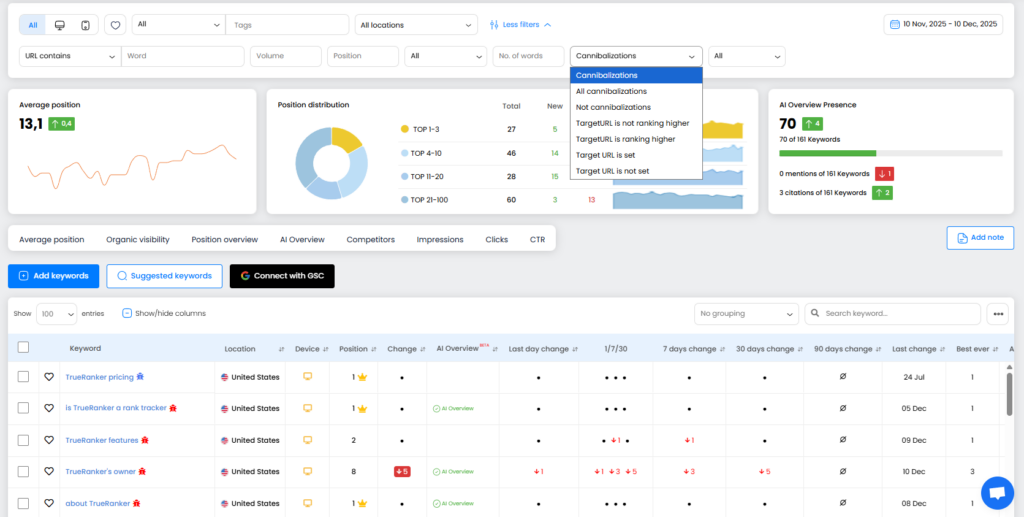
Go to the filter bar and use the Cannibalizations dropdown. Select “TargetURL is not ranking higher”.
This is my favorite filter. It instantly hides the “safe” stuff and shows you only the money-leaking problems where your strategy is failing.
6. One Final Tip #
Remember: The goal of SEO isn’t always to kill every cannibalization blindly, but to ensure that the page you want is the one winning.
This tool gives you the control to stop guessing and start deciding. So, take a few minutes today to define your Target URLs for your most important keywords. You’ll see your strategy click into place (and Google will thank you for it).
Happy ranking! 🚀
