Delete a project
We explain how to delete a project in a simple way.
Updated on
If you have stopped working on a project and want to delete it, follow the steps below:
1. Go to the list of projects
In the left menu click on “Projects” to access a list of all your projects.
2. Delete your project
In the project list, display the project you want to delete. In the table, on the far right, you will see a button with a trash can icon. Click on it.
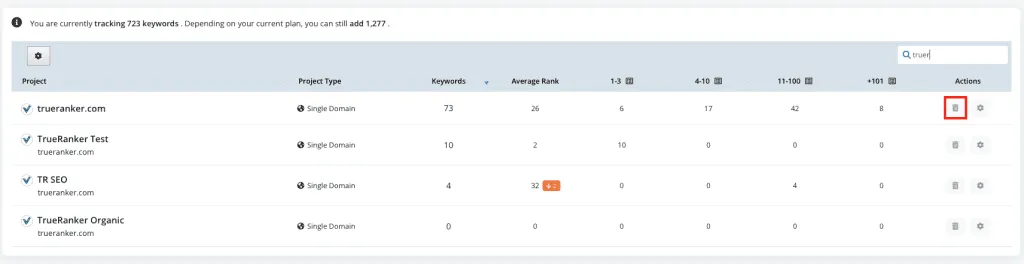
Delete project button
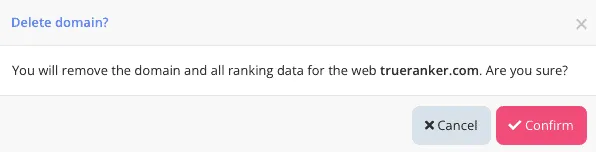
3. Confirm that you want to delete the project
For security reasons, we ask you to confirm that you want to delete the project. Please note that all history and data about your keyword positions will be lost. This data cannot be recovered.