Add keywords manually
Add keywords manually to your project. We explain how to do it.
Updated on
Adding keywords manually to your project gives you the freedom to monitor the keyword you want on the site you want. Follow the steps below to add keywords manually:
1. Go to the project dashboard
Go to the dashboard of your project by clicking on its name in the project list or by choosing the project from the drop-down menu in the header of the tool. Once you are on the screen, click on the “Add keywords” button.
2. Write your keywords
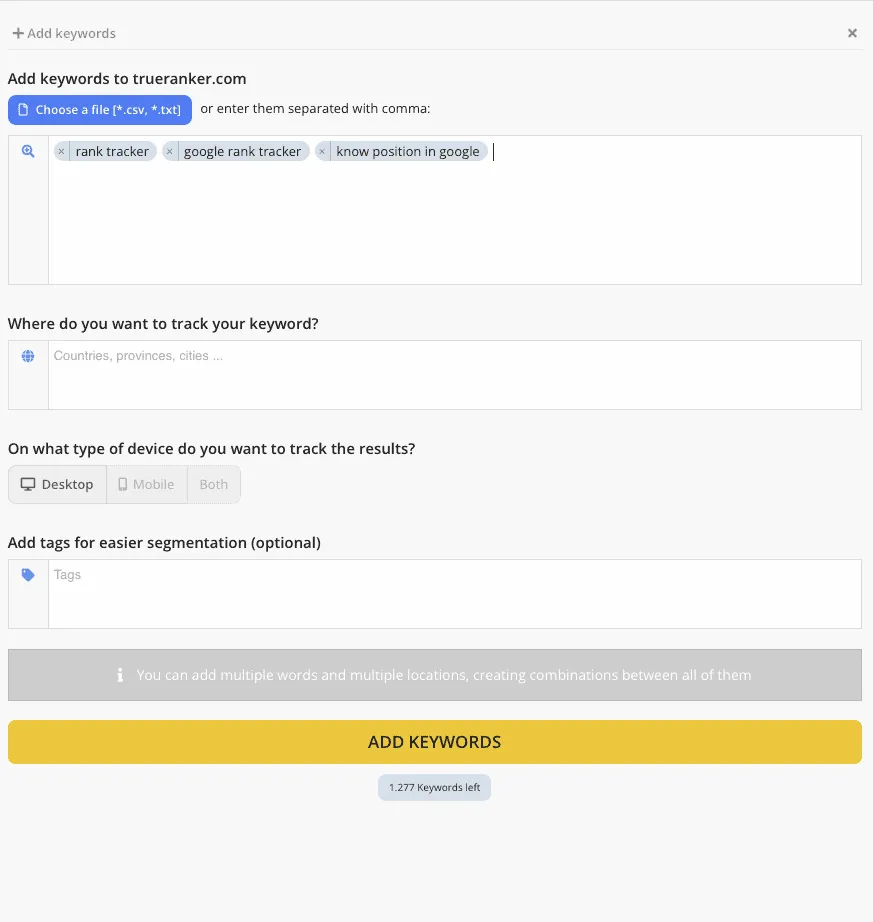
Type the keywords you want. To separate them from each other, you can press “enter” or “,”.
Enter your keywords manually
In this case, we want to monitor the positions for the following keywords: “rank tracker”, “google rank tracker” and “know position in Google”.
3. Choose the locations where you want to monitor the keywords.
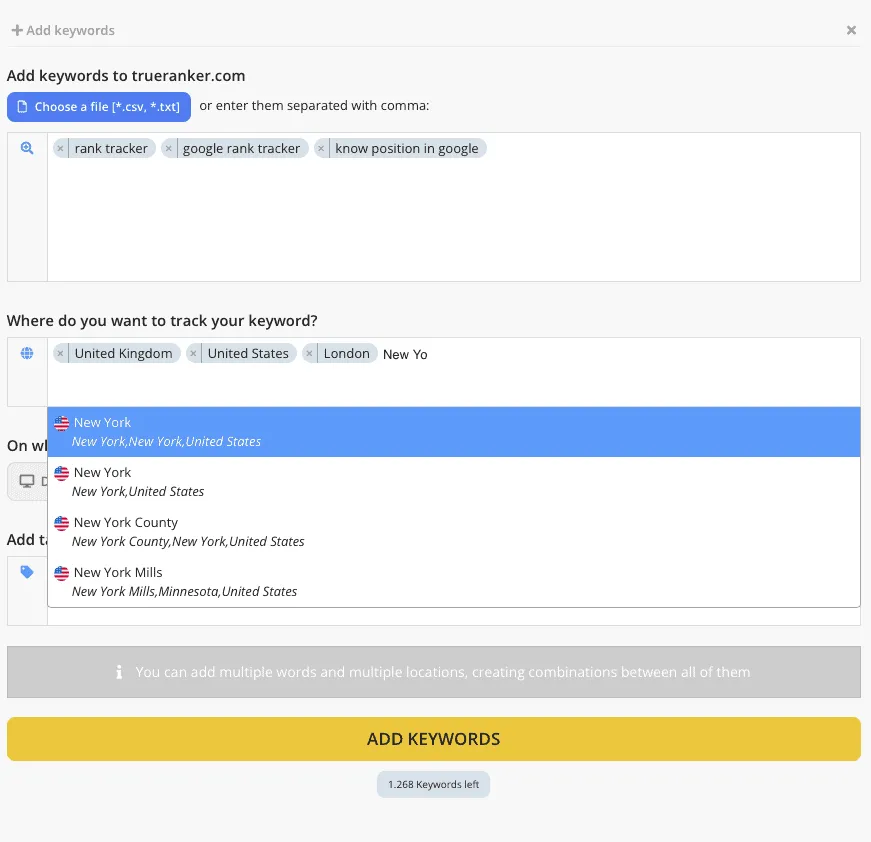
In the location box, type the name of the city, province or country where you want our tool to get the data.
Choose locations to monitor the ranking of your keywords
In this case, we will monitor positions in the United Kingdom, the United States, London and New York.
4. Choose the device on which you want to monitor the positions of your keywords.
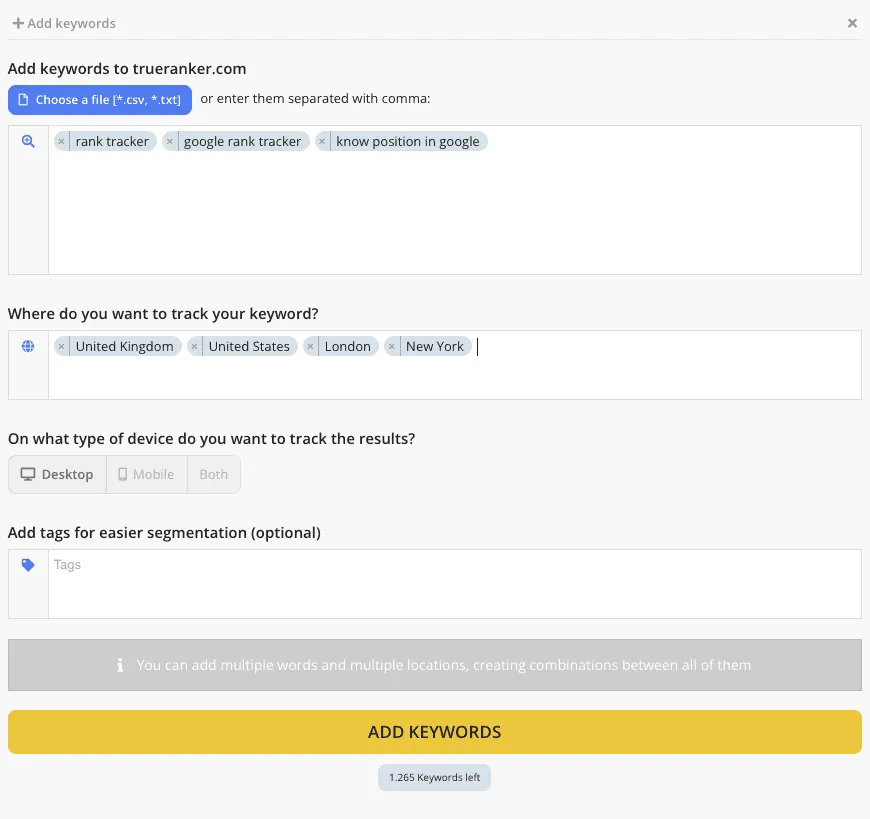
You can choose between “Desktop”, “Mobile” or “Both”.
Select a device to monitor your keyword’s positions
In this case, we will choose Desktop, since most of the visits to our website are through a computer.
5. Add tags to your keywords
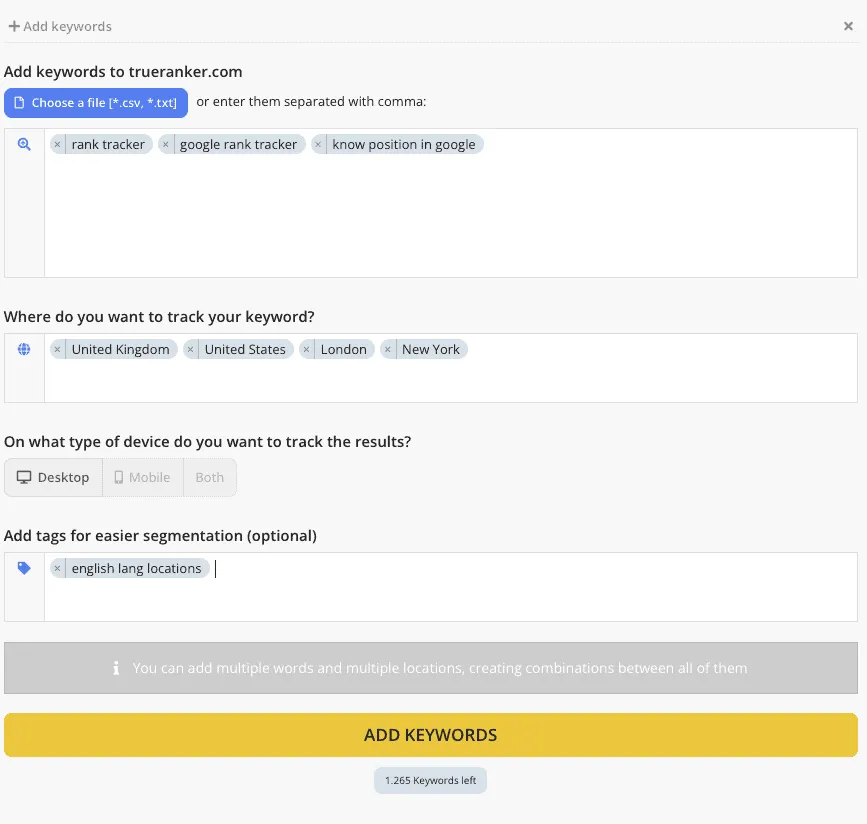
You can tag these keywords to create groups to better segment your data.
Add tags to your keywords
In this case, we will label all these keywords as “english lang locations”, since they are keywords that will be monitored in countries and cities where the vast majority of the population speaks English.
Finally, click on the add keyword button to add the keywords to your project and the tool will start collecting data on their positions.