

Few things in SEO hurt quite like this:
You pay $300 (or invest hours of outreach) to land the perfect link on a top-tier industry blog with your exact match anchor text. You watch your rankings climb. You celebrate.
But six months later, your traffic starts to drop. You investigate and discover the harsh reality: the webmaster deleted your article, or worse, went into the code and secretly added a rel="nofollow" tag to your link.
You lost your money and your authority, and you didn’t even notice.
In Link Building, acquiring the link is only half the battle. The other half is making sure it stays alive. In this article, I will show you how to automate your link tracking using TrueRanker’s Backlink Monitor so you never get scammed again.
The “Silent Theft”: Why Your Links Disappear
If you don’t have a monitoring system, you are flying blind. Links disappear constantly for three main reasons:
- Bad Faith (The Sneaky Webmaster): They sell you a permanent dofollow link. A year later, they switch it to nofollow or delete it to make room for a new client, assuming you will never check.
- Website Redesigns: The source website updates its theme, code breaks, or they move your article to a new URL without setting up a proper 301 redirect.
- Anchor Text Changes: The link is still there, but instead of saying “best SEO tools,” it now says “click here,” completely losing its semantic power.
Checking this manually in a spreadsheet every week—visiting URL by URL and inspecting the source code—is physically impossible if you have more than 20 links.
How TrueRanker’s Backlink Monitor Works
This is where automation steps in. We built the Backlink Monitor to act as your 24/7 SEO watchdog.
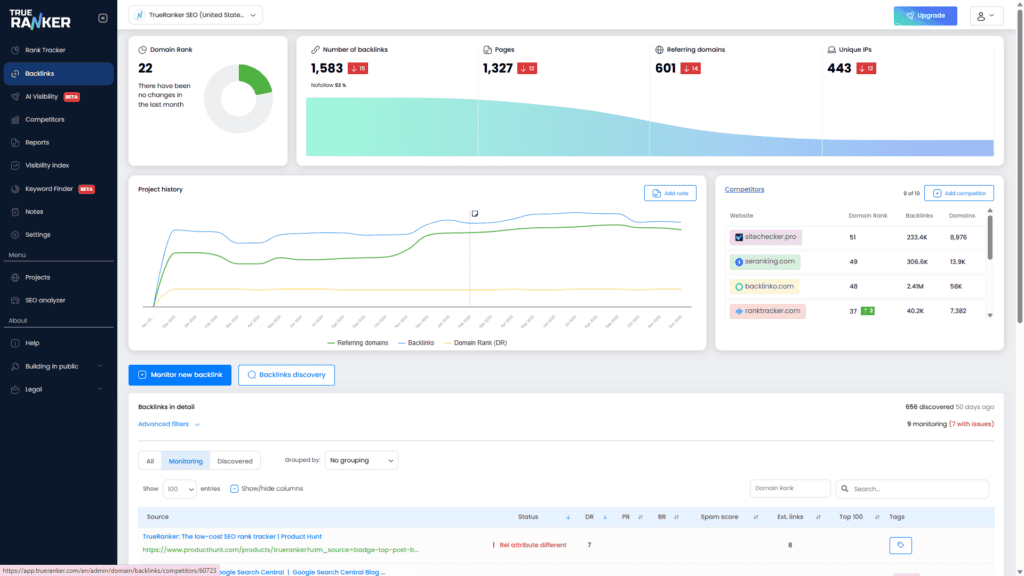
Instead of crossing your fingers, simply add the URLs where you’ve built links into TrueRanker. Our system will automatically crawl those pages and alert you if any of these 3 tragedies occur:
1. Dropped / Lost Link Detection
If the link vanishes (either because the link was removed from the HTML or the source page returns a 404 error), TrueRanker flags it in red. This is your cue to send a friendly but firm email to the site owner asking for an explanation.
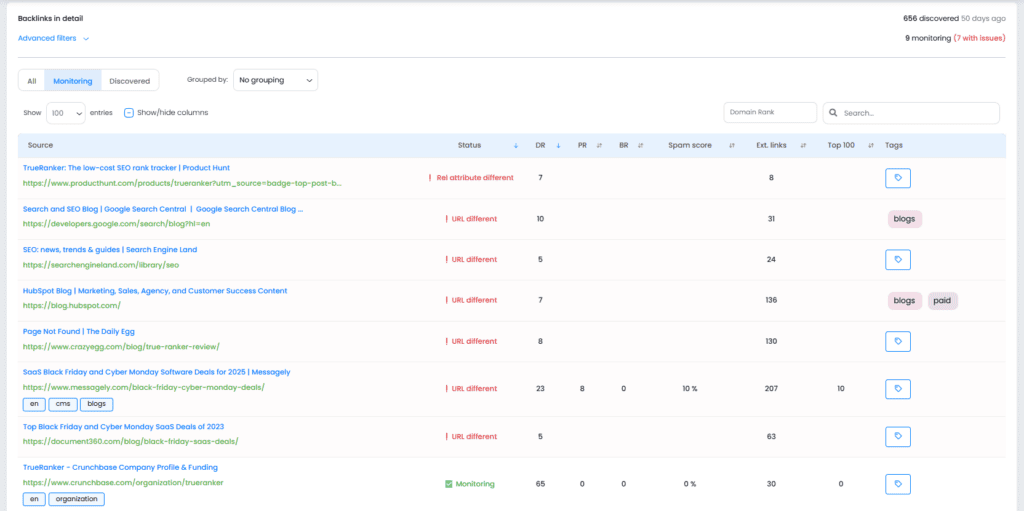
2. Attribute Alerts (Dofollow vs. Nofollow/Sponsored)
Google doesn’t care about your link if it has the wrong tag. If you paid for a Dofollow link (which passes link juice) and the webmaster changes it to Nofollow or UGC, the tool detects the HTML change and notifies you instantly.
3. Anchor Text & Target URL Tracking
Sometimes the link survives, but its value is ruined. Our monitor constantly checks that the Anchor Text matches exactly what you intended, and that the destination URL on your site hasn’t been altered.
Conclusion: Protect Your Digital Assets
Off-page SEO is a high-risk investment if you don’t control your assets.
Don’t leave your Link Building strategy in the hands of an outdated spreadsheet. Monitoring your backlinks is the comprehensive insurance policy your project needs to maintain stable rankings in 2026.