

Here is a fact that drives business owners crazy: Google lies to you.
You search for “best pizza near me” from your office, and your restaurant appears at #1. Great! But a customer searching from three blocks away sees your competitor first.
Why? Because Google results are hyper-local. The results change based on the exact location of the user.
If you are trying to do Local SEO by just checking your rankings from your own computer, you are flying blind. In this guide, I will show you how to track your Local SEO rankings correctly in different cities and zip codes.
Why “Global” Rankings Don’t Matter Anymore
For a local business (lawyer, plumber, restaurant), “Global Volume” is a vanity metric. You don’t care if 1,000 people search for you in India if you only sell in Chicago.
You need to know:
- Do I appear in the “Local Pack” (The Map)?
- Do I rank in the specific city I serve?
- Do I rank in the neighboring towns?
The Problem with Manual Checking
You might think: “I’ll just use Incognito mode.” Wrong. Even in Incognito mode, Google uses your IP address to detect your location. You will always see results biased towards where you are sitting right now.
To see what your customers see, you need a tool that can “teleport.”
Step 1: Set Up Precise Local Tracking (The Solution)
This is where TrueRanker shines. Unlike basic tools that only give you country-level data, we allow you to drill down to the street level.
How to set it up:
- Create a project in TrueRanker.
- Crucial Step: Go to Project Settings and enter the exact name of your business as it appears on your Google Business Profile (GBP). If you skip this, the tool won’t be able to spot you in the Map Pack (show more).
- When selecting the location, don’t just put “United States.”
- Type the specific city (e.g., “Austin, Texas”) or even a Zip Code.
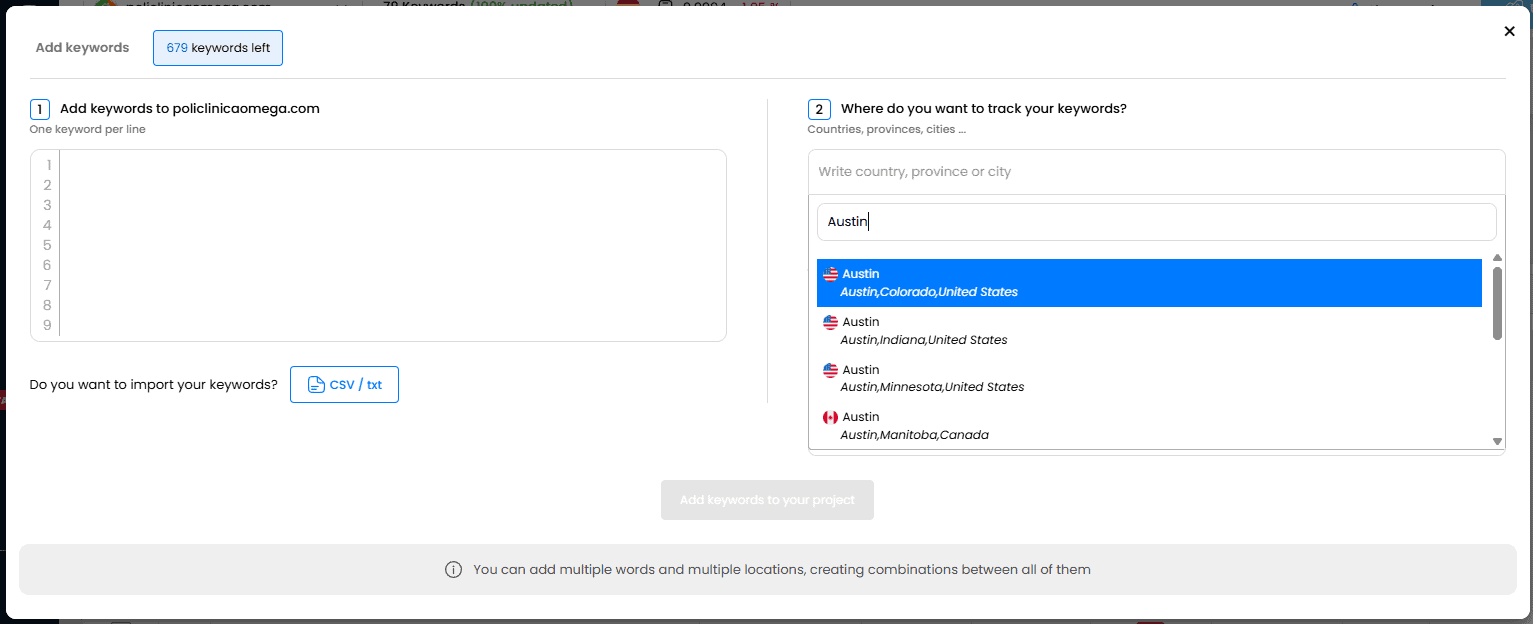
Now, when the tool checks your position, it simulates a user standing right there in Austin. That is your real ranking.
Step 2: Track the “Local Pack” (Google Maps)
Being #1 in the organic text results is good. Being in the Top 3 of the Map Pack is better. It gets 40-60% of the clicks.
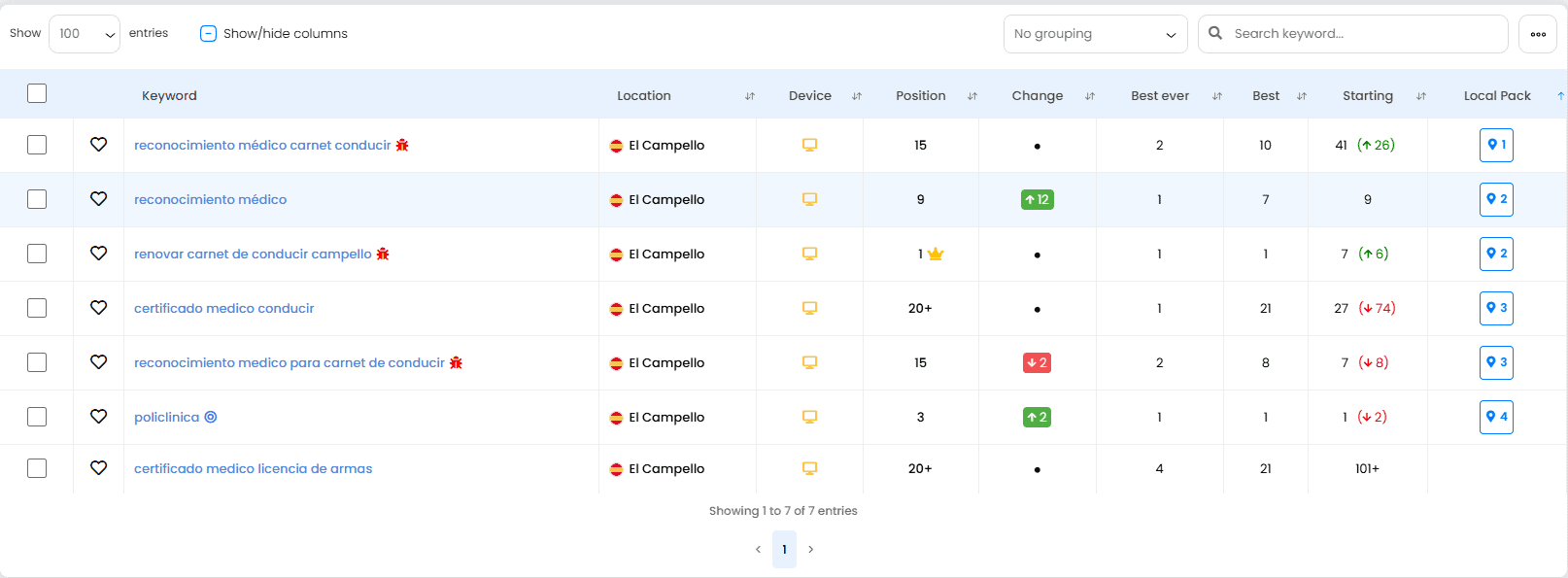
TrueRanker detects if your Google Business Profile appears in that coveted map block.
- Look for the Map Icon: In your keyword list, we show you special icons if you are ranking in the Local Pack.
Step 3: Optimize Your Google Business Profile (GBP)
Once you are tracking the data, how do you improve it? The strategy starts with your profile.
- NAP Consistency: Ensure your Name, Address, and Phone are identical everywhere.
- Categories: Choose the primary category carefully.
- Reviews: Reply to every review. It signals activity to Google.
Step 4: Local Keywords Strategy
Don’t just track “plumber”. Track:
- “Plumber in [City]”
- “Emergency plumber [Neighborhood]”
- “Plumber near me”
Use the TrueRanker Keyword Suggestion Tool to find these local variations.
Dominate Your Neighborhood
Local SEO is a winner-takes-all game. If you are not in the Top 3 of the map, you don’t exist.
Stop guessing based on your own browser. Start tracking exactly how your neighbors see you.
Start your FREE Trial → No credit card required to get started.