

The alternative SEO rank tracker

Stop Analyzing Flat Lists. Start Analyzing Clusters.

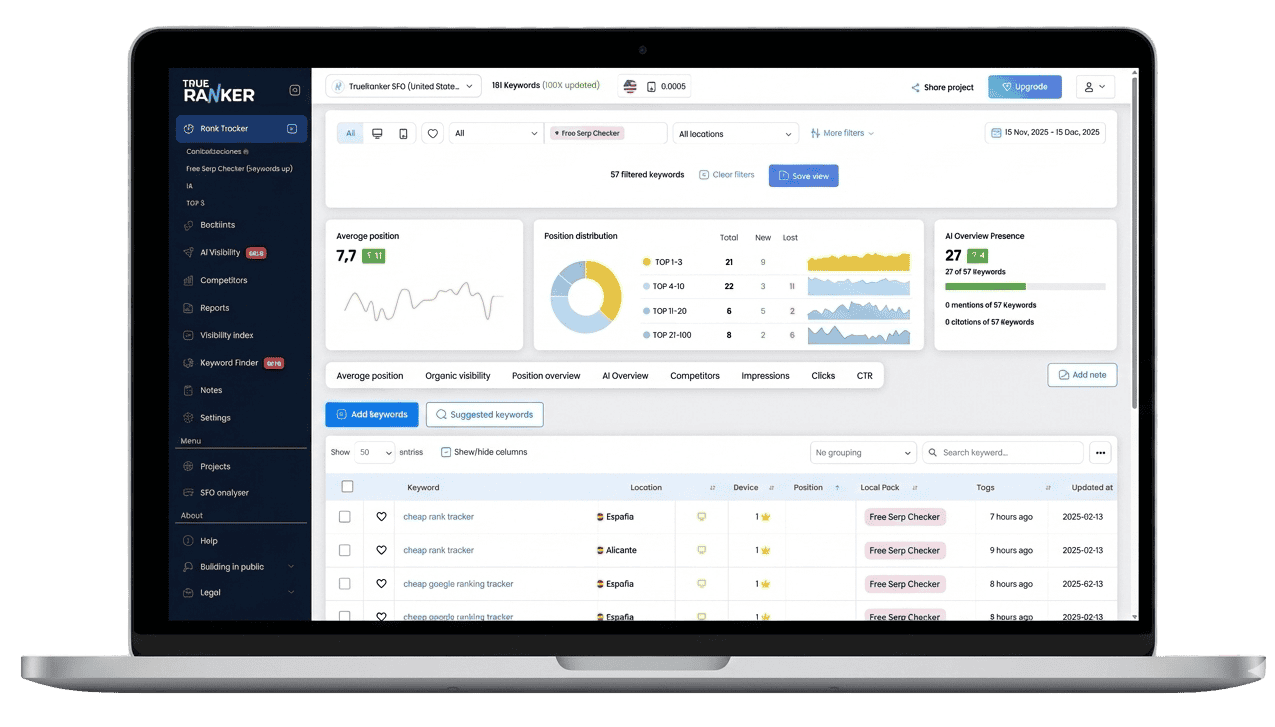
SEO projects are complex. TrueRanker helps you organize the chaos with Smart Tags, Advanced Filters, and Dynamic Grouping. See performance by category, URL, or location in seconds.
Turn raw data into segmented strategy.
Keyword grouper tool

The Ultimate SEO Organization System.

Tired of endless scrolling? Transform your massive keyword lists into organized, actionable clusters. Slice your data by intent, category, or priority in just two clicks.

Unlimited Tagging

Create custom tags for everything: "High Priority", "Blog", "Q4 Campaign". Assign them in bulk and slice your project data anyway you want.

Filters & Saved Views

Create complex filter combinations (e.g., "Top 10 + Mobile + New York") and hit "Save View". Access your most important segments with a single click every morning.

Dynamic Grouping

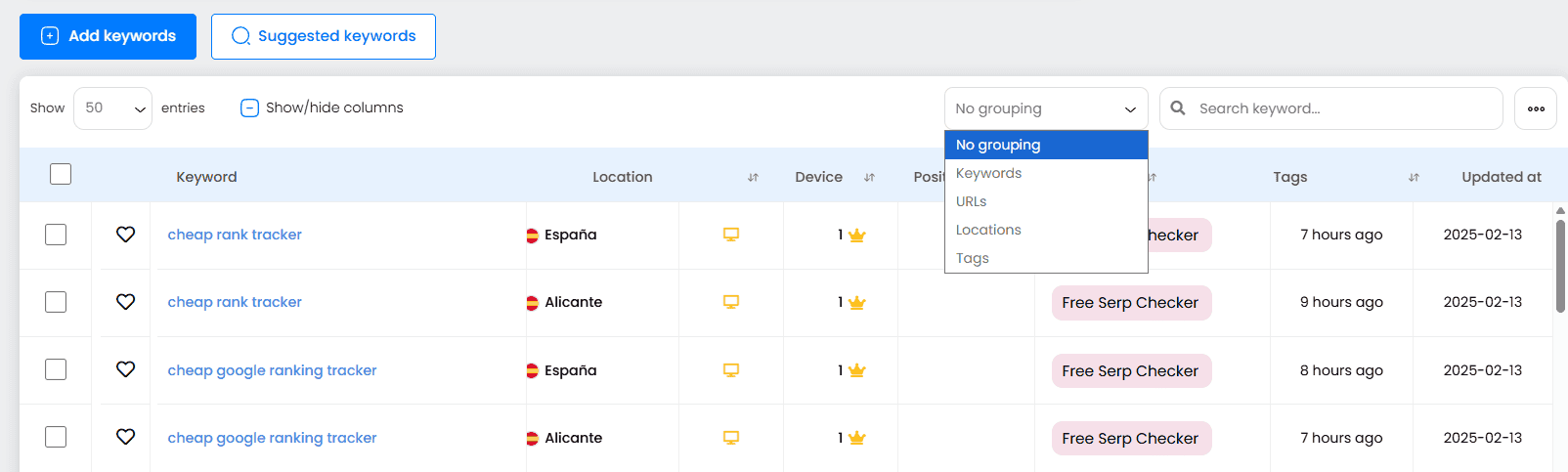
The magic button. Switch your dashboard view to group data by URL, Tag, Device, or Location. See aggregated metrics for whole clusters instantly.


See the Forest, Not Just the Trees.

Individual keyword rankings fluctuate daily. Trends happen at the cluster level.

  • One-Click Aggregation: Use the “Grouping” dropdown to collapse thousands of keywords into clear categories.

  • Analyze by URL: See which landing pages are gaining authority, not just which queries.

  • Analyze by Tag: Compare product categories (e.g., “Shoes” vs “Pants”) to see where to focus your resources.

Your Daily Workflow, Automating.

Stop applying the same 5 filters every time you log in.

  • Custom Segments: Define your criteria once (e.g., “Cannibalization Risks” or “Striking Distance Keywords”).

  • Instant Access: Your Saved Views appear as quick-access tabs.

  • Shareable: Keep your team aligned by looking at the exact same data segments.

"The best way to manage large SEO projects."

Have Questions? We Have Answers.

Looking at a list of 1,000 keywords is overwhelming. Grouping them allows you to spot trends that are invisible at the individual level. For example, by grouping by “Tag” or “URL,” you might see that your “Summer Collection” pages are dropping while your “Blog” posts are rising. It turns raw data into strategic insights.

A “Saved View” is like a bookmark for a specific configuration of filters. If you check your Top 10 Mobile Keywords in New York every morning, you don’t need to apply those 3 filters every time. Just save the view once, and it becomes a one-click tab in your dashboard.

Yes. This is one of our most powerful features. Select “Group by URL” in the dropdown menu, and TrueRanker will cluster all keywords that point to the same landing page. This lets you analyze the SEO health of specific pages rather than just isolated queries.

No. You can create unlimited custom tags (e.g., “High Priority,” “Branded,” “Competitor,” “Q4 Campaign”). This gives you complete flexibility to slice and dice your project data in whichever way makes sense for your business logic.

Google treats Mobile and Desktop almost like different search engines. By grouping by Device, you can instantly compare your average visibility on phones versus computers. If you see a large gap, you know you need to optimize your site’s mobile experience.

Absolutely. Managing large projects requires speed. You can select hundreds of keywords at once to add tags, change settings, update locations, or delete them. What used to take hours in other tools takes seconds in TrueRanker.

No. Grouping is a visualization mode. Your underlying historical data for every single keyword remains intact. You can switch between “Detailed View” (list) and “Grouped View” (clusters) instantly without losing any granularity.

Yes. You can combine advanced filters to find exactly what you need. For example, filter by “Keywords in Position 11-20” (Striking Distance) that have “High Search Volume”. These are your best opportunities for quick growth.

Yes. Whether you are viewing a specific filtered list or a grouped cluster, you can export the data to CSV or PDF reports. This allows you to show clients exactly how specific categories of their business are performing without overwhelming them with raw data.

Yes. You have full access to all organization features—unlimited tagging, advanced filtering, dynamic grouping, and saved views—during your 14-day free trial.

Bring order to your SEO data.

Start segmenting and analyzing smarter today.

40,000+ users already trust TrueRanker:

Publisuites logo
digitalcontent logo
PICKASO logo
TheTool logo